All of the above is solved from one platform — and the school activates what fits it.
What changes in your school with JARASNA?
Safer operations
Receiver verification, documentation of every operation, and clear staff responsibility across the dismissal journey.
Less time chasing
Clear work queues and live statuses instead of calls, announcements and manual searching.
More confident families
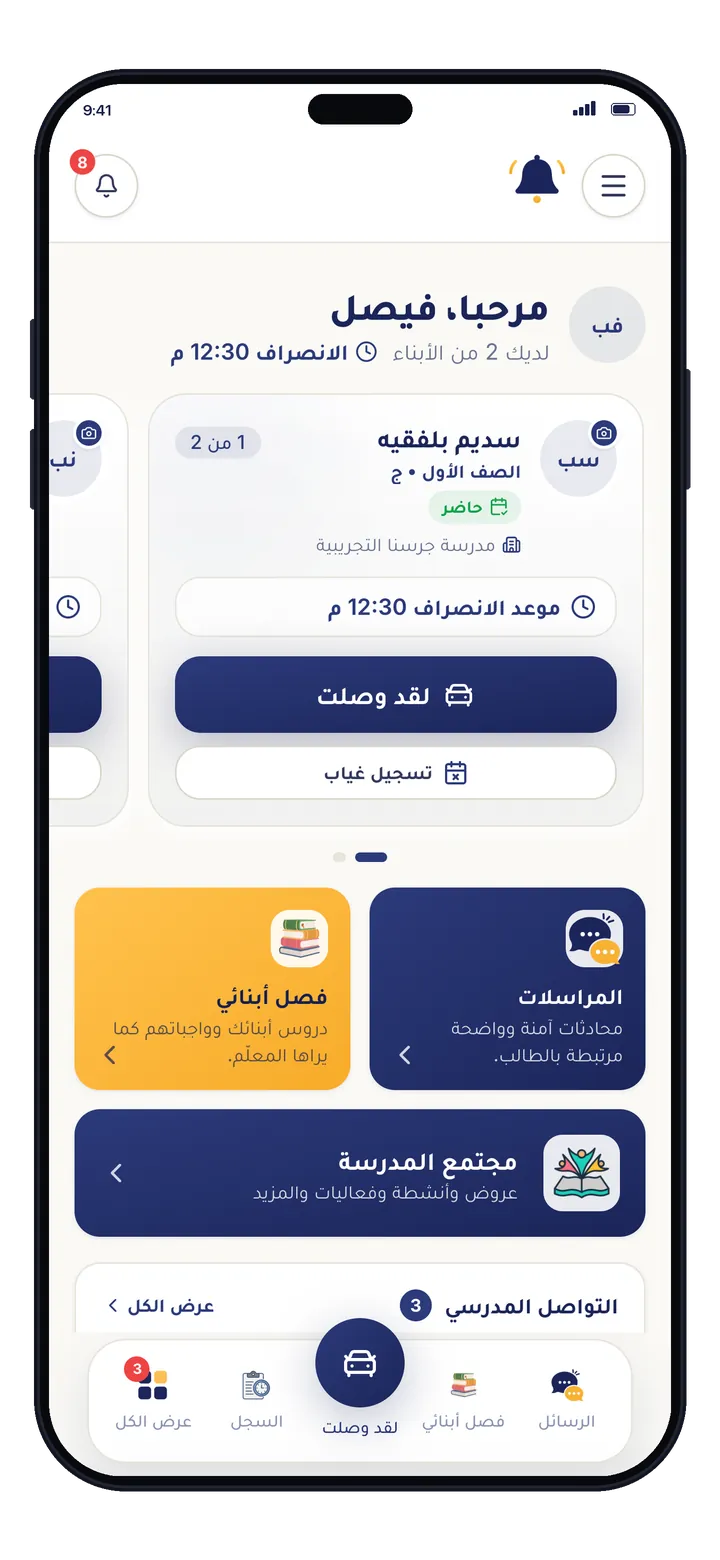
Parents see their child's attendance, follow dismissal, read school messages and join its events — from one place.
Management that sees the full picture
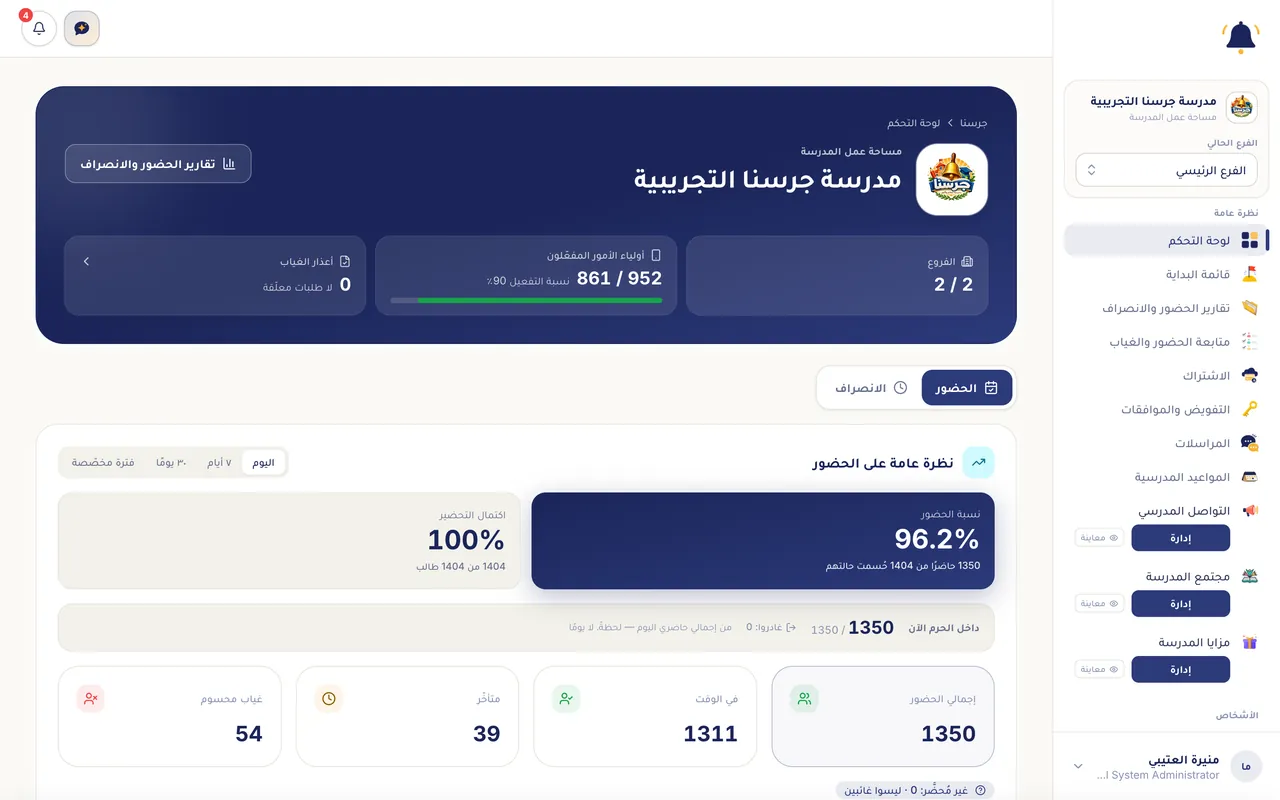
Reports and indicators across branches, attendance, dismissal and communication — instead of impression-based decisions.
Solutions
One integrated answer to the whole school day’s problems
Not separate tools — connected modules that share one data layer and one set of permissions, each solving a real problem.
Operations & safety
From morning arrival to a documented handover
From the moment a student arrives until they are handed over after the day ends, every staff member knows what is required of them — and management holds a clear record of what happened.
The problem: Paper registers arrive late or get lost, absences surface hours later — and parents only find out by phone call.
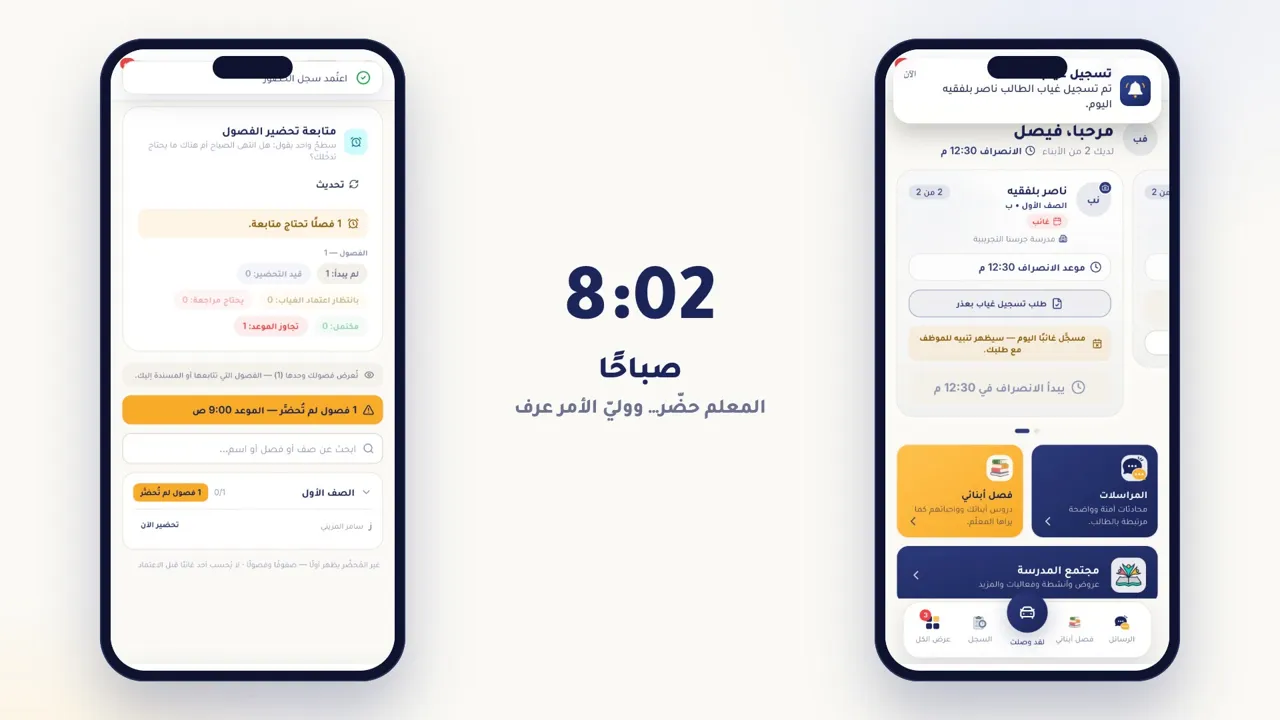
Attendance done in the first minutes of the day
An attendance officer per class, officers who pick their own classes, or teachers marking themselves — the school chooses. Parents get a message that their child is present or absent.
Video: Attendance in Jarasna — 46 seconds · real app screens · Arabic narration
The problem: Cars pile up at the gate, names are shouted over a microphone, and families and staff wait far too long.
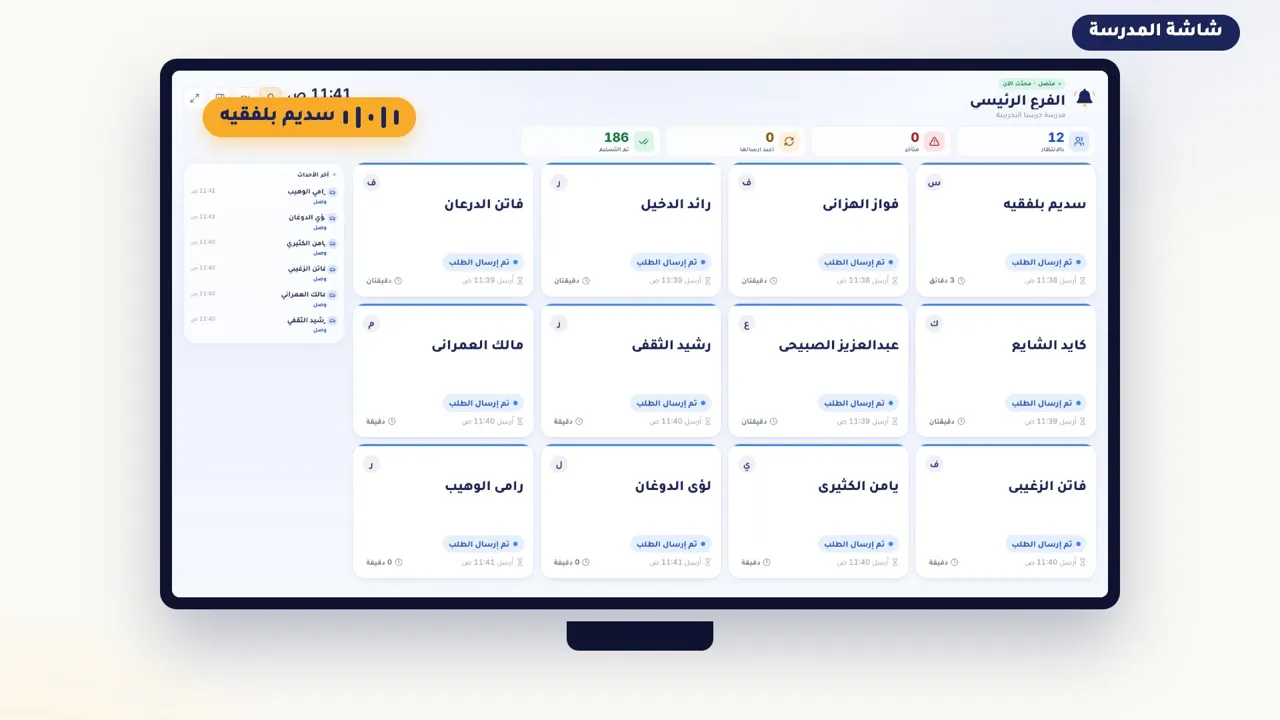
A calm dismissal: from a 15-minute wait to 3.4 minutes
The parent taps “I’ve arrived”, the student is called on the school screen and by voice, and the handover is recorded by name and time. The workflow is configured per school and branch, and school screens can be split across several screens by grade or class.
Dismissal & pickup:a clear work queue with verification at handover.
Receivers & permits:who may pick up each child — defined and time-bound.
Vehicles & dismissal screens:approved vehicles and secure yard screens.
Operation logs & reports:searchable history of who did what, and when.
Make what your school gives students visible to families
Organized, measurable school communication — without scattering it across messages, calls and group chats.
The problem: Circulars in WhatsApp groups and messages on teachers’ personal phones — and nobody knows who read or approved.
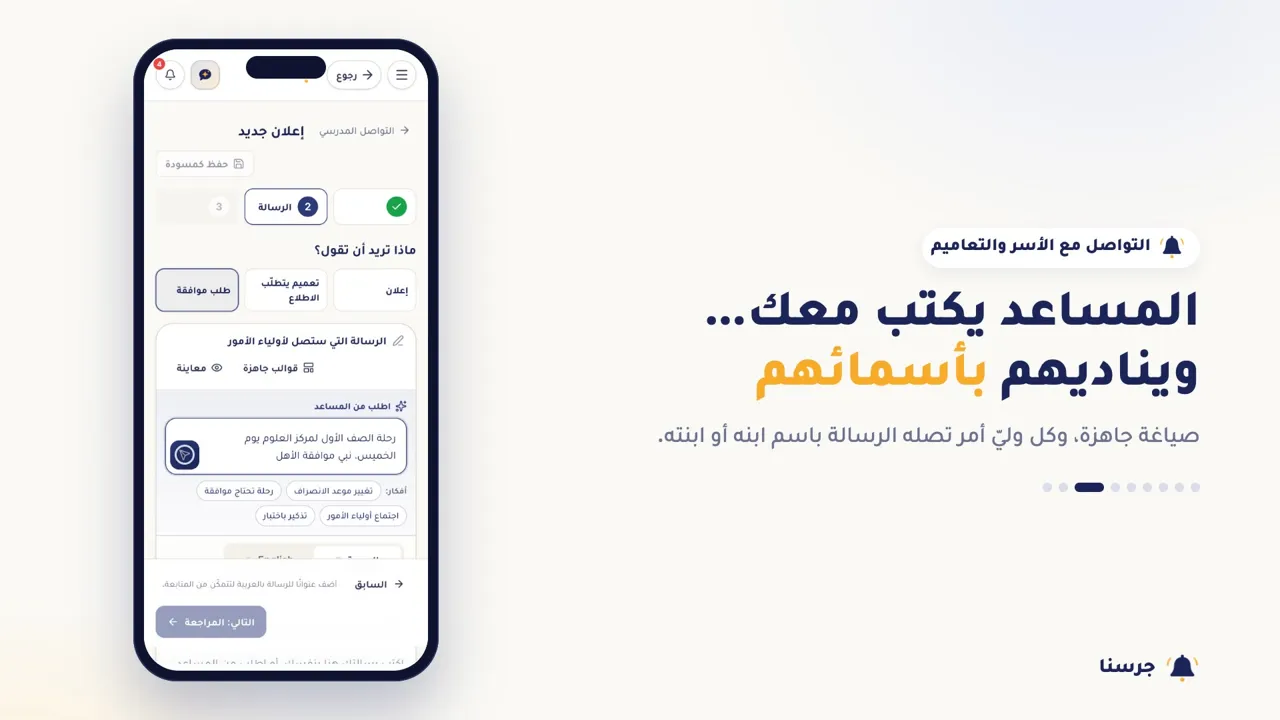
One channel with families — read and measured
One conversation per student linking the family and the school, visible to management; broadcasts that reach the right group with the student’s name, with acknowledgement and approval requests.
Communication & circulars:announcements, acknowledgements and approval requests with read tracking.
Precise targeting:branches, grades, classes or specific students, without duplicate messages.
Accept or decline:trip approvals and acknowledgements in one tap.
In-app notifications:reduce reliance on SMS for absence and communication messages.
Video: Family messaging and broadcasts in Jarasna — 52 seconds · real app screens · Arabic narration
The problem: The lesson link in a group chat, homework on paper, and marks in a notebook.
Lessons on Google Meet and Microsoft Teams — with the whole classroom
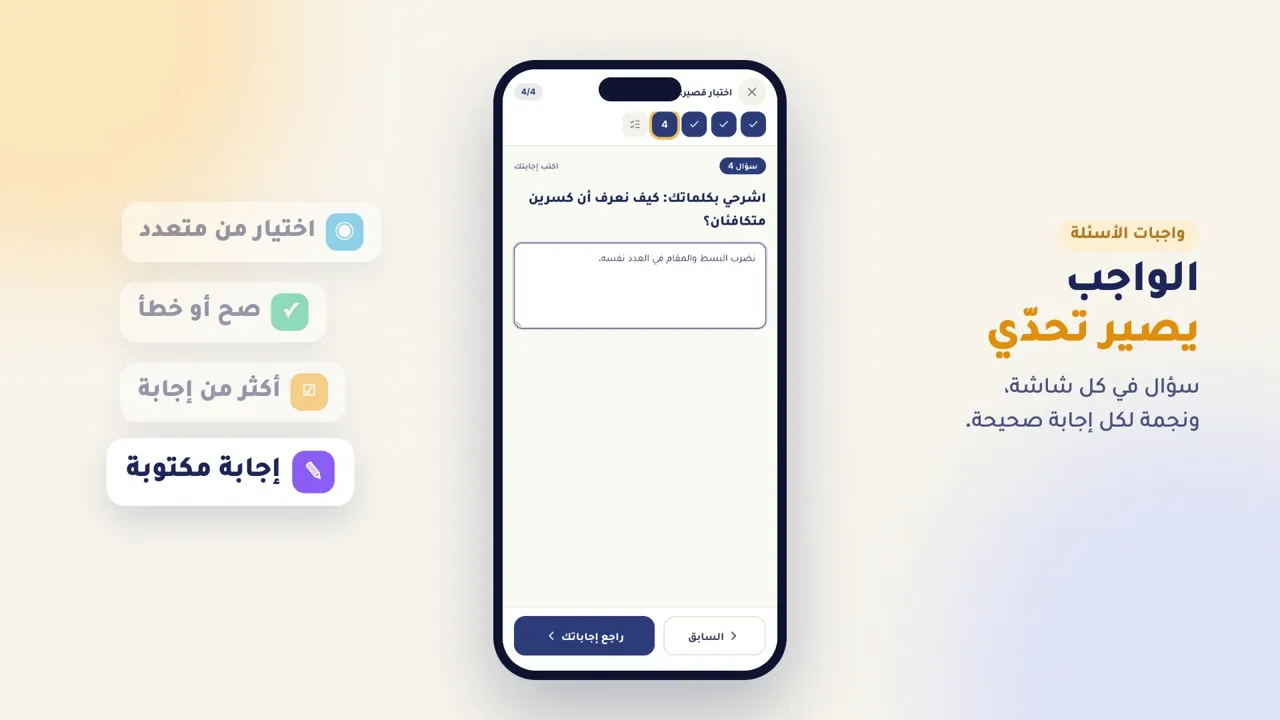
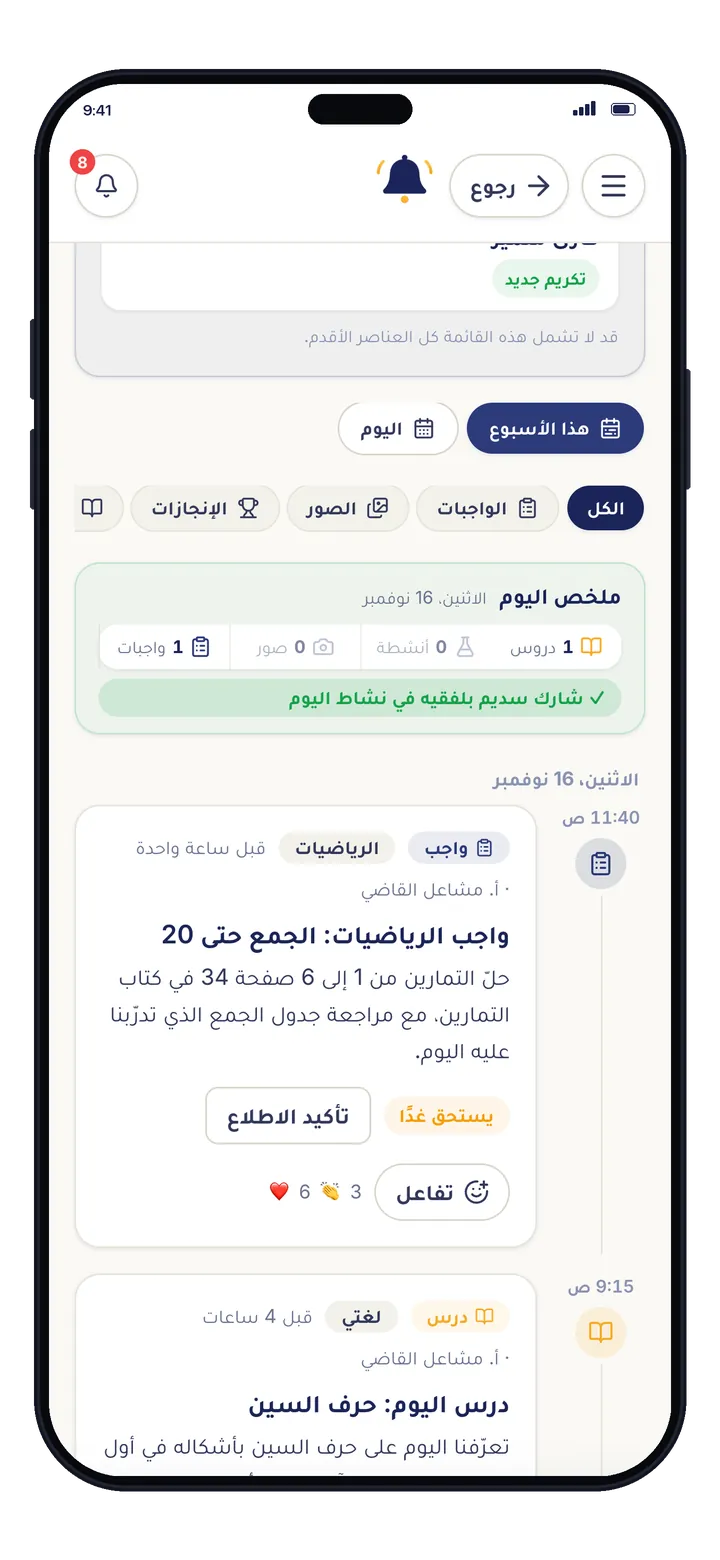
Schedule lessons once or weekly, students join in one tap, then lessons, homework and auto-marked question assignments, with stars and badges that motivate every student.
Google MeetMicrosoft Teams
A clear timetable:today’s lessons in front of the student and the parent.
Question assignments:true/false, multiple choice and written answers.
Stars and badges:encouragement students see in their own interface.
This is what a normal day looks like for a school on JARASNA — and for every family watching it.
6:45 AM
Attendance begins
The teacher starts marking, the attendance officer follows incomplete classes, and management sees attendance status live.
9:30 AM
Inside the classroom
The teacher shares a classroom moment or homework; it reaches families within the policies the school defines.
11:00 AM
Communication needing a response
The school sends an acknowledgement or approval request to the targeted group, and tracks who read and who responded.
1:45 PM
Dismissal request
The parent requests pickup; the request reaches the responsible staff member according to the branch workflow.
1:48 PM
Documented handover
The receiver is verified, and the responsible staff member, time and exit method are documented.
Every moment above is a touchpoint where a family sees your school's value — automatically, with no extra staff effort.
app.jarasna.com
Management & governance
Your decisions shouldn't rely on impressions
Control who can execute, what needs approval, and what happens in every branch — from one dashboard.
Today's attendance status across branches.
Pending and delayed requests, and classes not yet marked.
Average student preparation and handover times.
Message delivery, reads and responses.
Teacher activity and family engagement.
Report and log export.
Plus: branch management, staff and roles, permissions and approvals, a full audit log, and licensed modules per subscription.
Documented numbers
A stronger family experience that supports trust and continuity
When a parent sees their child's attendance, follows their dismissal, knows what happens inside the classroom, and reaches school services from one place — the school's value becomes clearer in their daily experience.
105,000+
Documented attendance, dismissal & communication operations
97%
Of dismissal requests completed successfully
3.4 min
Average time from request to documented handover
7
Modules available by school plan
Operational data recorded up to August 2026.
JARASNA helps your school build a clearer, more continuous relationship with families.
Security & privacy
Security built into the design
School and family data protected with fine-grained permissions, audit logs, and per-school data isolation.
Role-based access
Every user sees only what their role allows.
Data isolation
Each school and branch is isolated at the database level; sensitive files use private, temporary links.
Full audit trail
Every action logged with actor and timestamp.
OTP on sensitive actions
Sensitive operations require a one-time code.
Go live fast
Up and running in three steps
With the JARASNA team beside you until your first pickup day.
1
Upload student data
Upload students and parents in minutes via an Excel/CSV template — no replacing your school system.
2
Choose each branch's workflow
Pick one of five pickup workflows per branch, set schedules, screens and security rules.
3
Train & go live
A quick team training, and your first documented, calmer dismissal day begins.
A low-risk decision
Why schools choose Jarasna
Because starting is easy, and the result shows from the first operating day.
Ready in one dayUpload students and staff in a single file; setup takes one day.
No replacing your school systemAn Excel/CSV template is enough to start, and attendance reports come with a Noor-ready file.
Activate only what you needModules are activated by plan: start with dismissal or attendance and add the rest later.
A team beside youQuick team training, with the Jarasna team beside you until your first operating day.
See Jarasna on your school’s own questions
A 60-minute live demo with the Jarasna team: we walk through your school day from attendance to dismissal and answer your team’s questions.
Calling names over a microphone leaves no record of who collected a student or when. JARASNA calls the student on screen and by voice, and records every handover by name and time.
Criterion
Manual calling by microphone or WhatsApp groups
JARASNA
Calling the student
By a supervisor’s voice; depends on the student hearing their name
On the school screen and by voice once the parent taps “I’ve arrived”
Exit order
Mostly random
By parent arrival
Handover record
No record
Every handover recorded by name and time
Who may collect
Depends on staff knowing the family
Defined, time-bound permission for who may pick up each child
Management visibility
Not available
Live board and reports across branches
Multiple branches
Hard to coordinate
One central console, with a dismissal workflow set per branch
Beyond dismissal
Separate tools for attendance and circulars
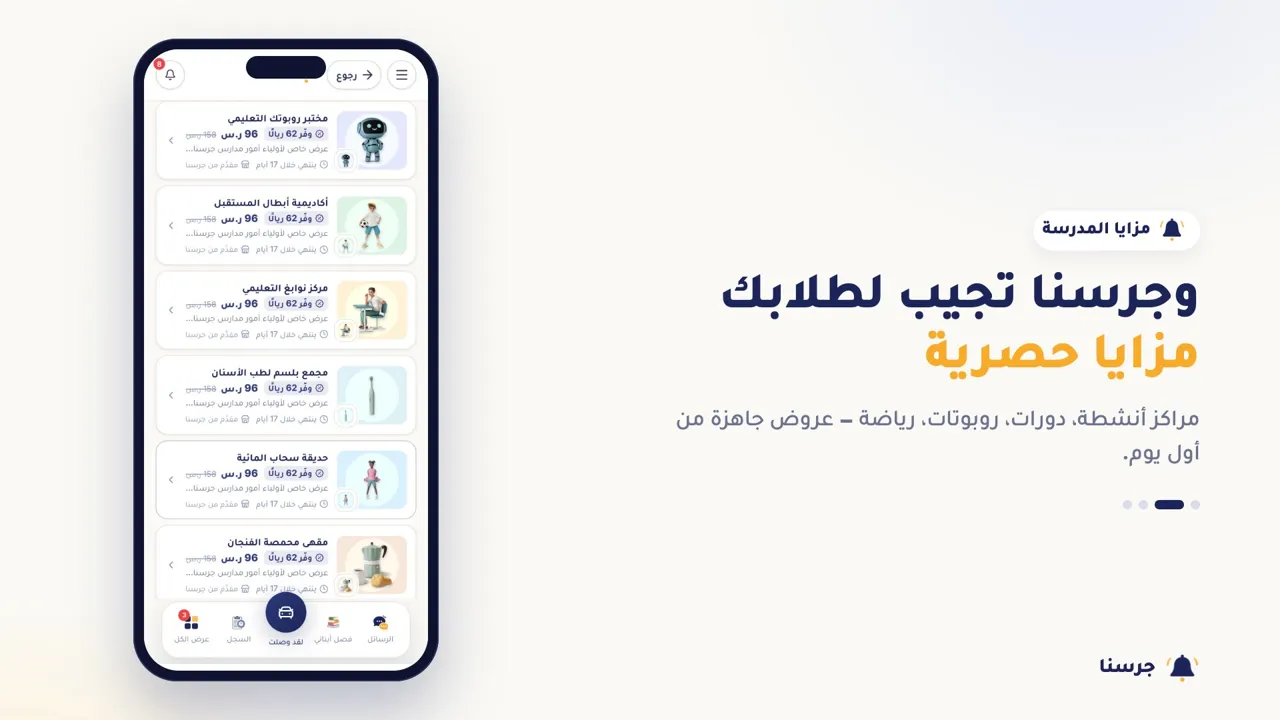
Attendance, communication, Class Pulse and appointments in the same platform
No. JARASNA is a school operations and communication platform combining attendance, safe dismissal, communication and circulars, Class Pulse, the school community and family benefits in one app — schools activate the modules that fit their plan.
How does JARASNA handle student handover?
JARASNA supports every method — from handing students over at their classrooms to the main yards. You can split supervisors or screens by grade or class, and it supports voice announcements too.
Does it support multiple school branches?
Yes. JARASNA manages branches and education complexes from one central dashboard, and each branch manager only sees their own branch's data.
How do attendance and absence tracking work?
Teachers mark their class from their phone in minutes, a marking board surfaces incomplete classes for follow-up, and parents can report an absence with a reason and attachment per school policy — with exportable reports and a Noor-ready file.
What is the Broadcast Center?
It sends targeted messages to parents or staff — by branch, grade, class or specific students, with the student's or parent's name in the message. You can request acknowledgements or trip approvals, and track who read and who responded.
What is Class Pulse?
A space connecting families to what happens inside the classroom: class moments, homework and motivational badges published by teachers under review policies the school sets — with a per-child feed for parents and analytics for administration on engagement and balanced coverage.
What is the School Community?
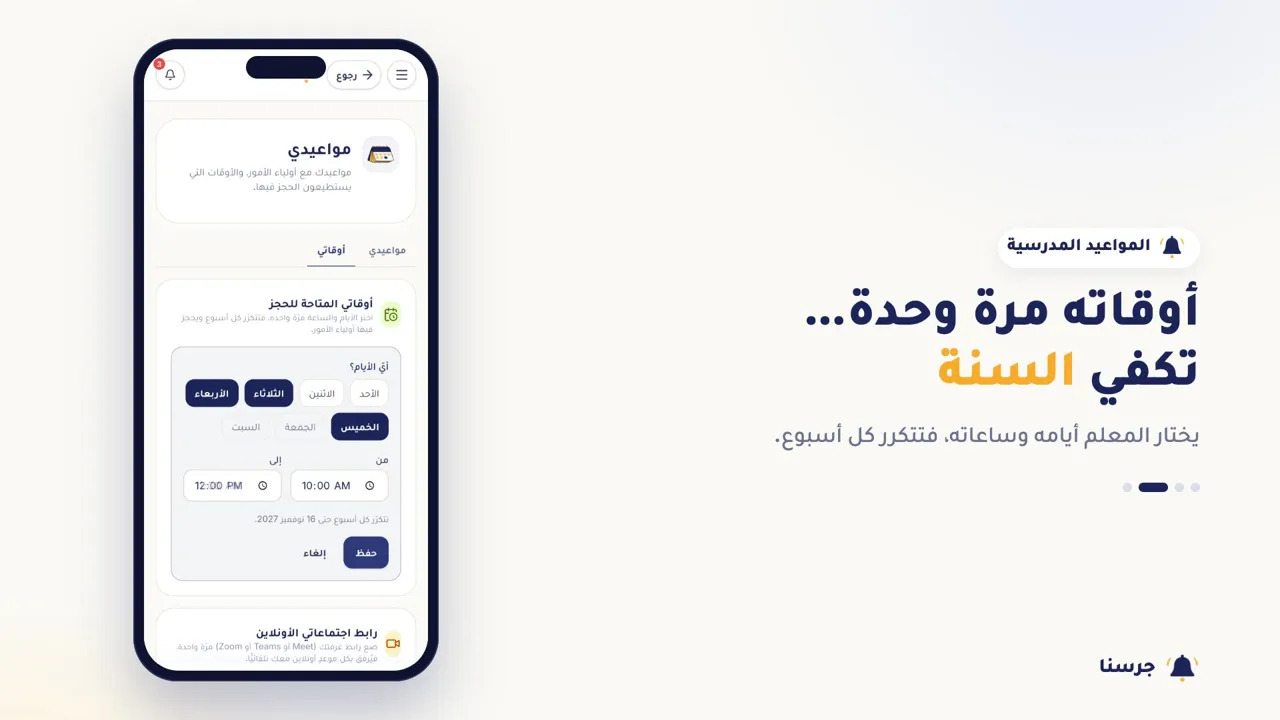
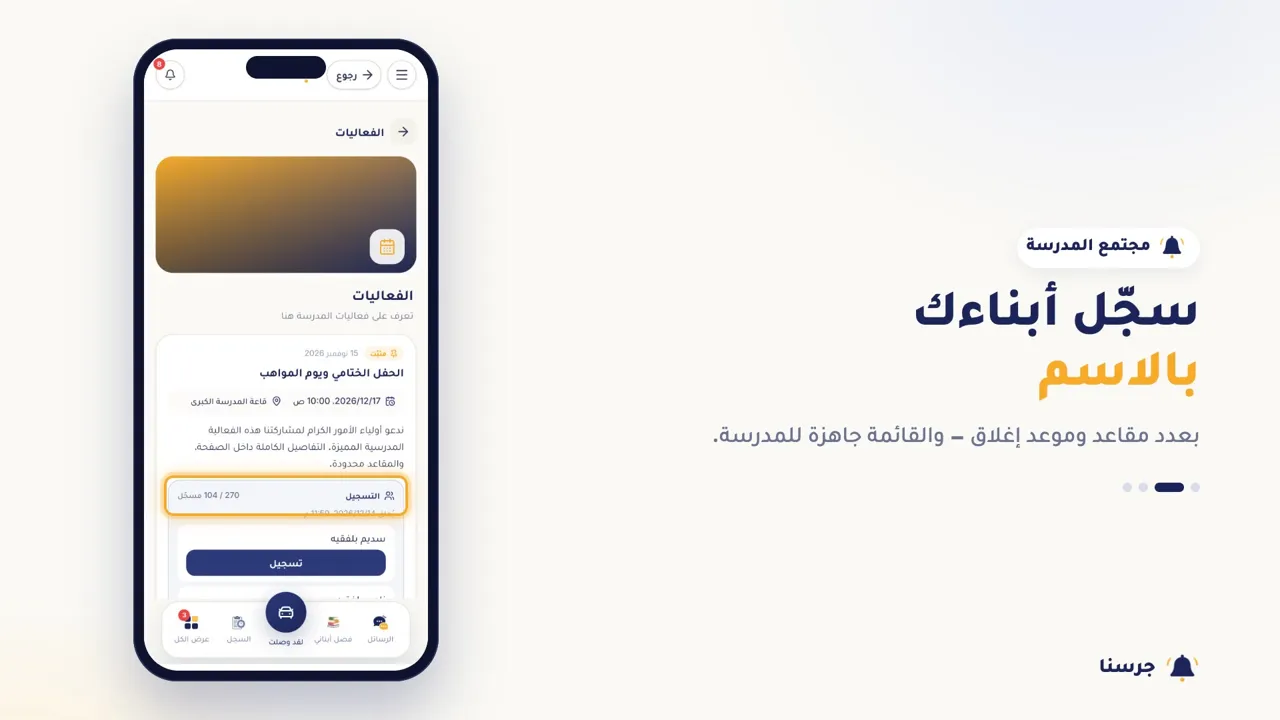
An interactive hub connecting the school with parents: publish events, trips, competitions and courses, with capacity-limited registration, polls and attendance tracking — helping the school raise and measure family engagement.
What happens if the internet drops during dismissal?
During a short outage staff continue handover using the offline pickup token and normal manual verification, then operations are recorded once the connection returns.
How long does setup take?
You can upload staff and student data in a single file; setup takes one day — with the JARASNA team beside you until your first operating day.
Is school and parent data protected?
JARASNA is designed to protect school and family data: per-school and per-branch data isolation, fine-grained role-based permissions, extra OTP verification for sensitive actions, and a full audit log for important operations.
Which devices does JARASNA run on?
JARASNA runs in the browser, and the mobile app is available on the App Store, AppGallery and Google Play — in Arabic and English plus seven extra languages for family and field interfaces.
Does JARASNA replace Noor?
No. JARASNA does not replace Noor or your school system. Daily attendance is run in JARASNA, and its reports come with a Noor-ready file.
How is JARASNA different from calling names over a microphone?
Microphone calling depends on the student hearing their name and leaves no record. With JARASNA the parent taps “I’ve arrived”, the student is called on the school screen and by voice in order of arrival, and every handover is recorded by name and time.
How does the school confirm who collects a student?
Each child has a defined, time-bound list of who may pick them up. At handover a staff member confirms the receiver, and every handover is recorded by name and time.
Book time with Jarasna
Pick a demo or a sales consultation and book a time directly.
JARASNA is a Saudi school operations platform for private and international schools that brings student attendance, dismissal and parent communication into one system. A parent taps “I’ve arrived” in the app, the student is called on the school screen and by voice, a staff member confirms the receiver, and every handover is recorded by name and time.
Operating figures: 105,000+ documented attendance, dismissal and communication operations, with 97% of dismissal requests completed successfully (to August 2026).
Handover time: 3.4 minutes on average from request to documented handover.
Modules: attendance, dismissal, communication, virtual classes on Google Meet and Microsoft Teams, Class Pulse, appointments, the school community and school benefits — activated by school plan.
Setup: setup takes one day, with data uploaded through an Excel/CSV template.
Noor: JARASNA does not replace your school system; attendance reports come with a Noor-ready file.
Internet outage: during a short outage staff continue handover using the offline pickup token, then operations are recorded once the connection returns.

 app.jarasna.com
 Attendance
 Dismissal
 Communication
 Virtual classes
 Class Pulse
 Appointments
 Community
 Benefits


 Google Meet
 Microsoft Teams